> ## Documentation Index
> Fetch the complete documentation index at: https://support.floweq.com/llms.txt
> Use this file to discover all available pages before exploring further.
# Boomerang New Flow: Single
> Using the Single Boomerang step type
This boomerang is the simplest type, as it only sends your team to one other Flow.
 ## Step Configuration
In addition to the general step configuration options, this step has the following specific options that can be configured.
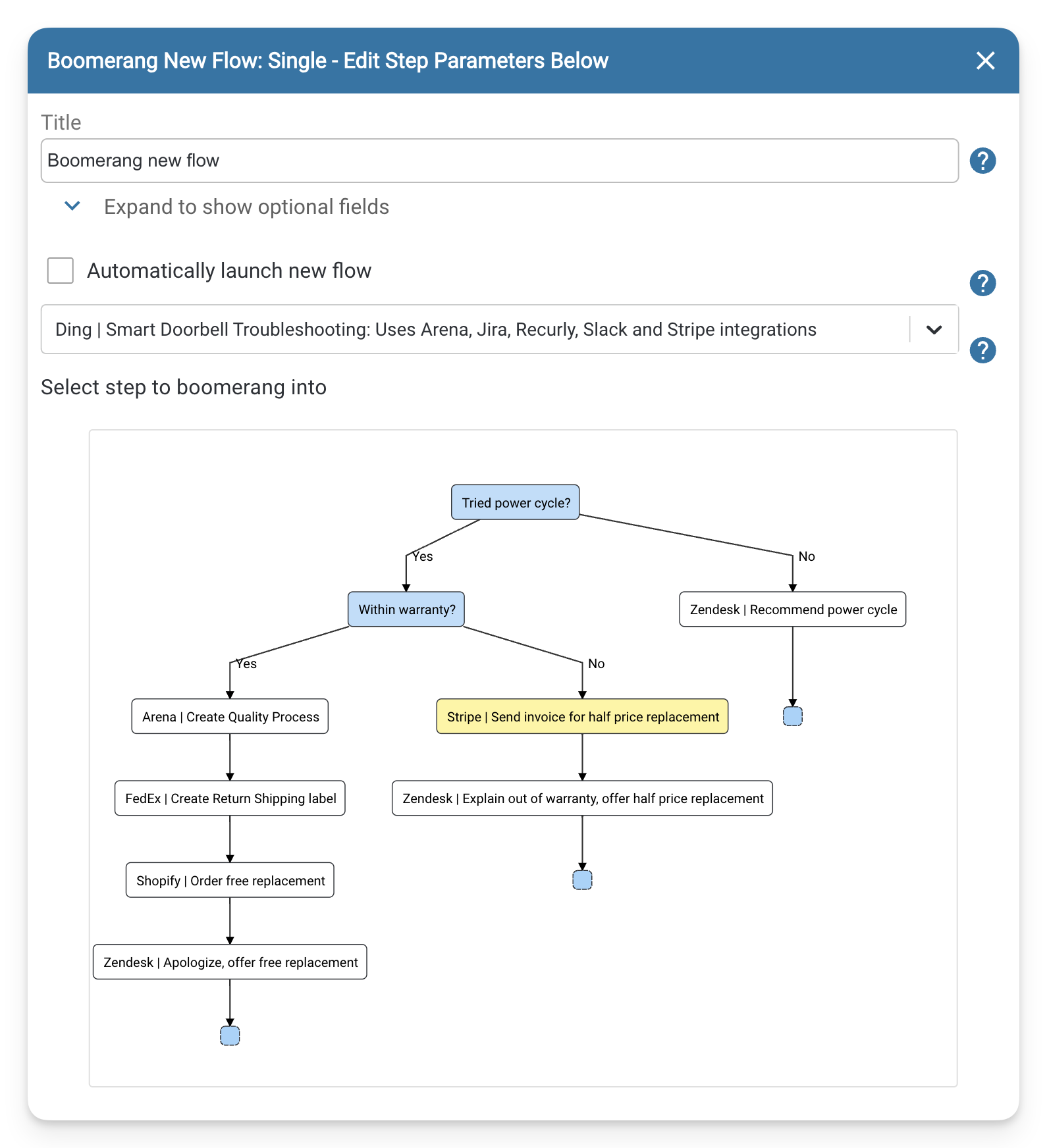
### Select a new Flow to launch
Use this field to select the new Flow you want to launch. You can only select one and your team will not be given the chance to choose another.
### (Optional) Select step to boomerang into
If you want your team to skip certain steps and start at a particular step in your Flow, you can use the window provided to select that step. The selected step will turn yellow. Once your team reaches the Boomerang step in your Flow, they will be taken directly to the yellow step you selected. Please note that this feature is optional and your team can still start at the beginning of the Flow by default.
## Step Configuration
In addition to the general step configuration options, this step has the following specific options that can be configured.
### Select a new Flow to launch
Use this field to select the new Flow you want to launch. You can only select one and your team will not be given the chance to choose another.
### (Optional) Select step to boomerang into
If you want your team to skip certain steps and start at a particular step in your Flow, you can use the window provided to select that step. The selected step will turn yellow. Once your team reaches the Boomerang step in your Flow, they will be taken directly to the yellow step you selected. Please note that this feature is optional and your team can still start at the beginning of the Flow by default.
This option is not available in **Selected** or **Dynamic** Boomerangs. However, you can combine a **Decision** steptype before multiple **Boomerang: Single** steptypes to achieve the same effect.