Arena Configuration Options
To set up the Arena integration, you will first need:
- An Enterprise level or Custom billing plan on FlowEQ.
- The Arena Rest API enabled in your Arena instance. Learn more here.
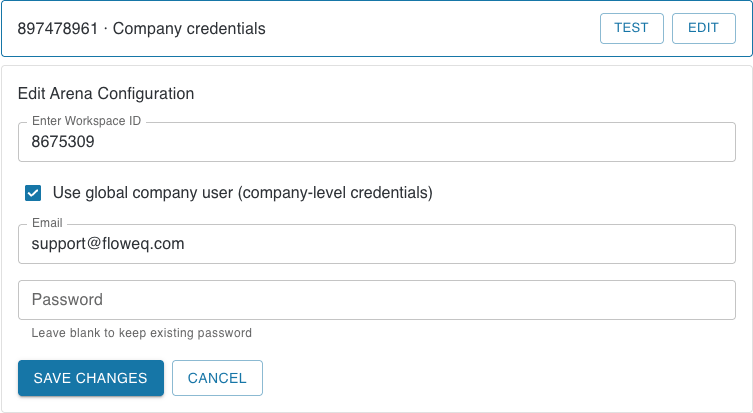
- Workspace ID
- User Authentication Method
- Company-Level Credentials
- When the Use global company user (company-level credentials) option is selected in the Arena integration settings, all team members will use the same Arena account for all Arena step types. This means that any actions taken using Arena step types will be created using this single company-level account.
- If this option is enabled, we strongly recommend using a Machine User account in Arena. A Machine User is a special type of user account that is not tied to a specific individual and is intended for use by applications or automated processes. This helps ensure that the account remains active and accessible even if team members change roles or leave the organization.
- User-Level Credentials
- When the Use global company user (company-level credentials) option is not selected, each team member will use their own individual Arena account when creating or updating quality processes using Arena step types. This means that actions taken using Arena step types will be associated with the specific user’s account.
- Each individual user will be prompted to login using their Arena credentials the first time they use an Arena step type in FlowEQ.
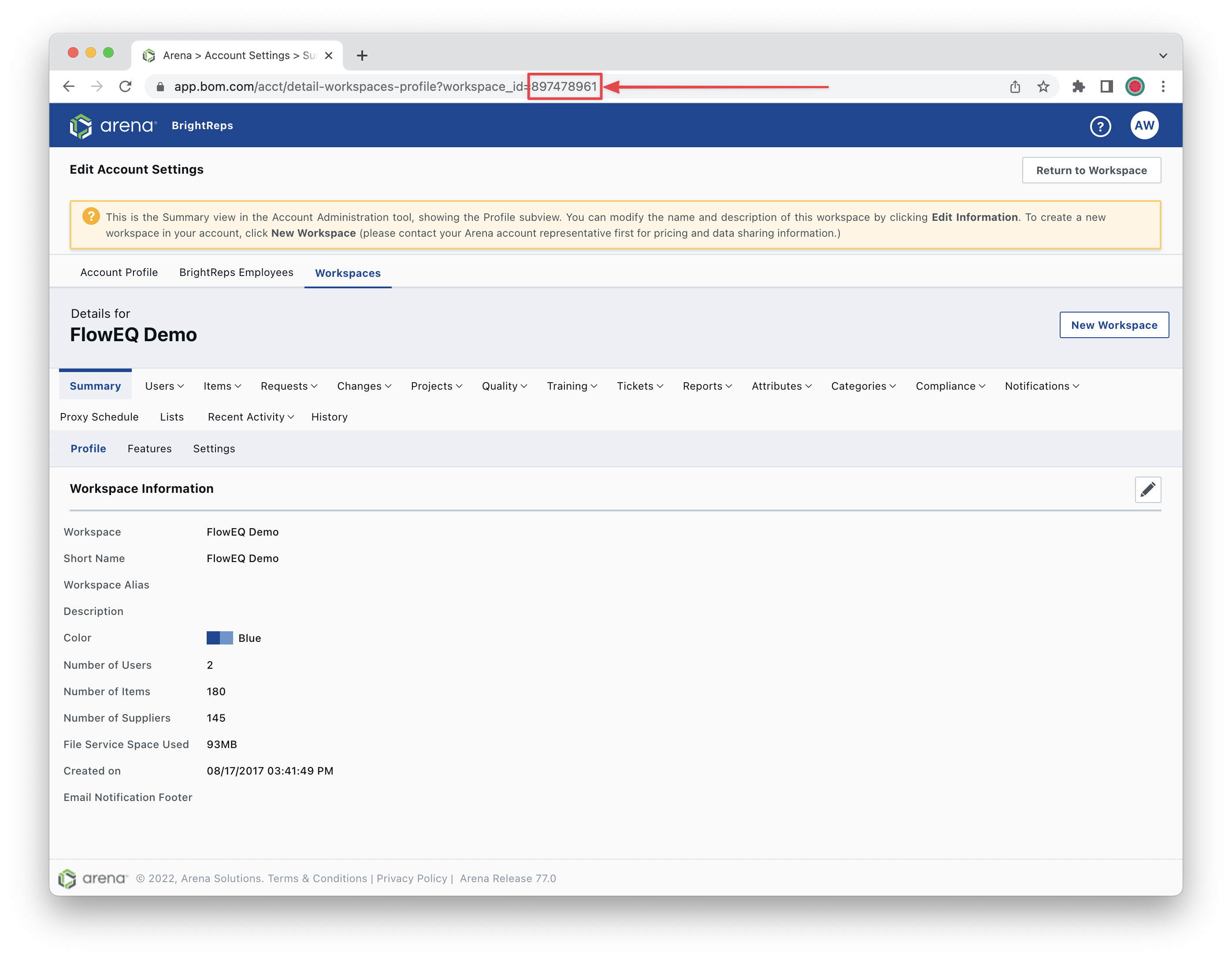
Getting the Workspace ID
- Open Arena at app.bom.com
- Click your Profile icon in the top right, then click Workspace Settings.
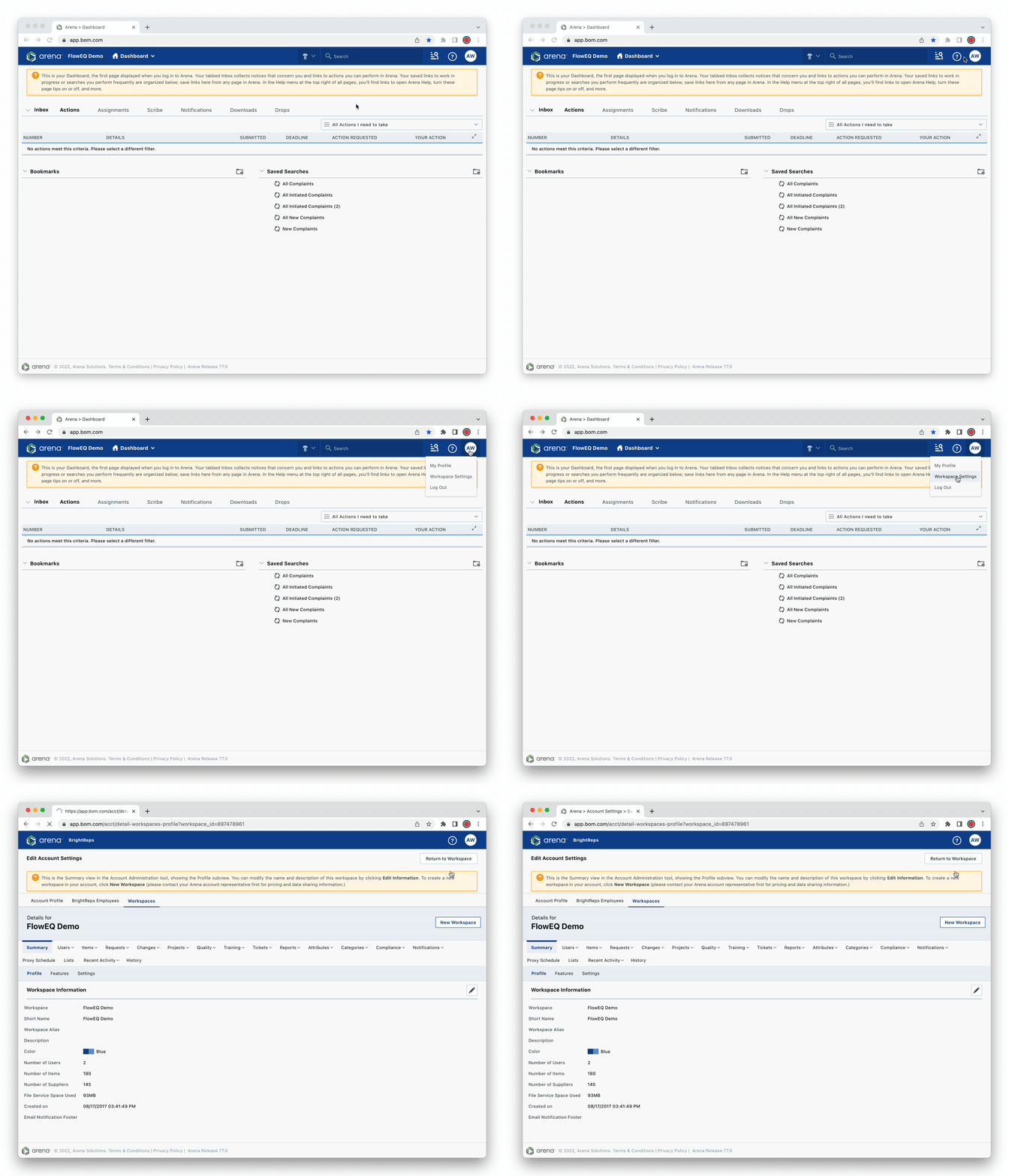
- In the browser address bar, copy the workplace ID number at the end of the URL.\